Add a charge
Bill a tenant for a repair, a lost key or anything else, once.
Open the tenant from Tenants. On a computer their actions are in the side panel; on a phone, tap ⋯ on their page.
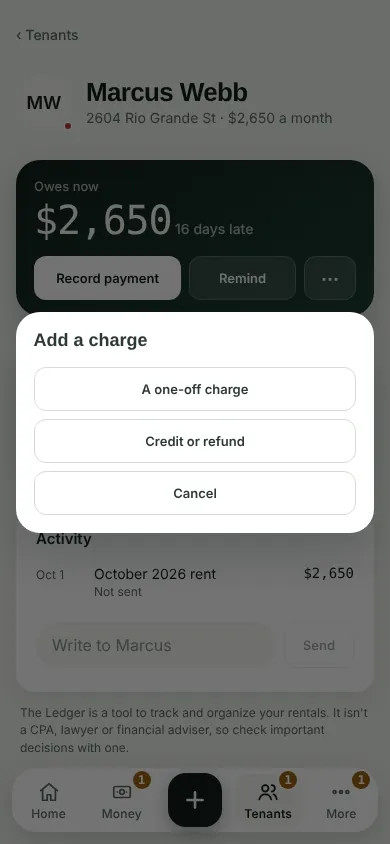
Tap Add a charge, then A one-off charge.
Leave it on Once. Say what it is For and type the Amount. Add a due date if you like. A note, the signed addendum and Tell the tenant are under More details.
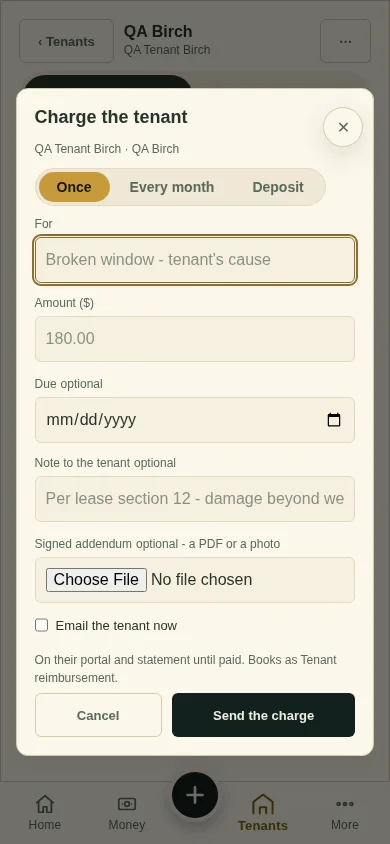
Tick Tell the tenant to send it in tomorrow morning's email, and tap Send the charge. Left unticked, the button reads Add the charge. The email goes out the next morning, so a slip fixed today never reaches them.
Can't find it? Ask Moolah in the app, or write to hello@thepropertyledger.app.