Fix a typo in a lease
Correct a mistake in a lease. A change to the rent or the term goes through the lease menu instead.
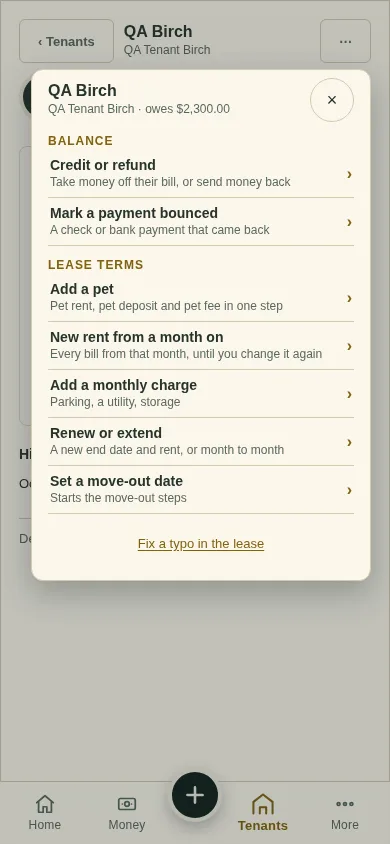
All changes start from the lease page: open the lease from Tenants and tap ⋯ (top right). Earlier bills never change.
Tap ⋯, then Fix a typo in the lease at the foot.
Fix the box and tap Save lease.
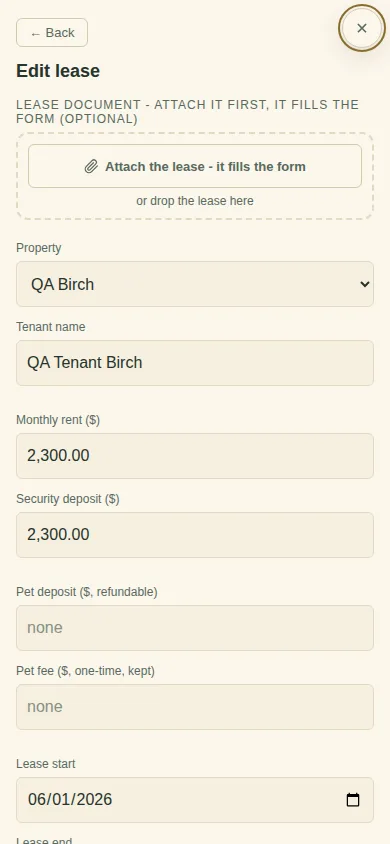
This is for mistakes, not changes. A new rent, a pet or a renewal goes through the items above, so your history stays right.
Next
Record a payment
Can't find it? Ask Moolah in the app, or write to hello@thepropertyledger.app.