Renew or extend
Give a lease a new end date and rent, or let it run month to month.
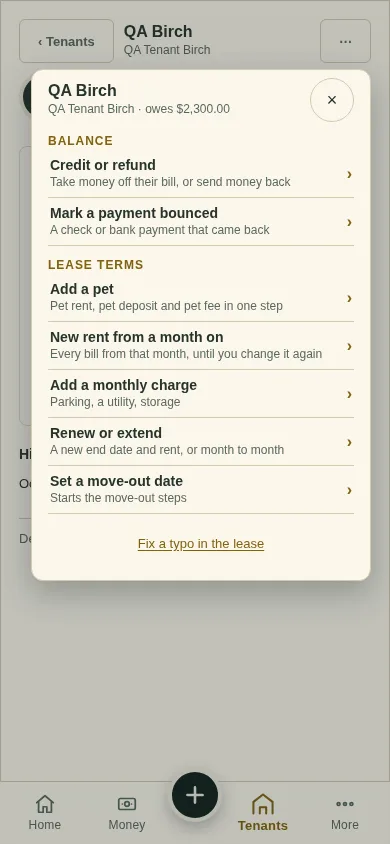
All changes start from the lease page: open the lease from Tenants and tap ⋯ (top right). Earlier bills never change.
Tap ⋯, then Renew or extend.
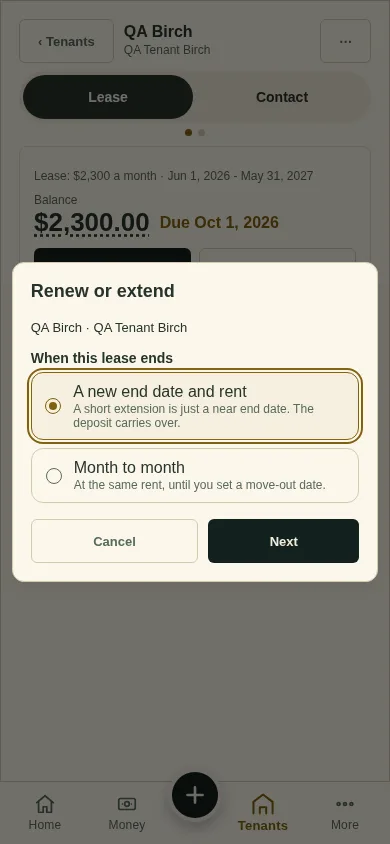
Choose A new end date and rent (the deposit carries over), or Month to month (at the lease's month-to-month rent, until you set a move-out date). Tap Next.
A new end date: the lease opens as Renew lease with the new dates filled in. Check the end date and the rent, and tap Save lease. Month to month: tap Go month to month.
Next
Set a move-out date
Can't find it? Ask Moolah in the app, or write to hello@thepropertyledger.app.