Add your tenant and lease
In The Ledger a tenant comes with their lease. Add both together, from the signed lease.
In The Ledger, a tenant comes with their lease. You add both together.
You'll need: The signed lease (PDF or photo), and the tenant's email.
Go to Tenants and tap + Add lease.
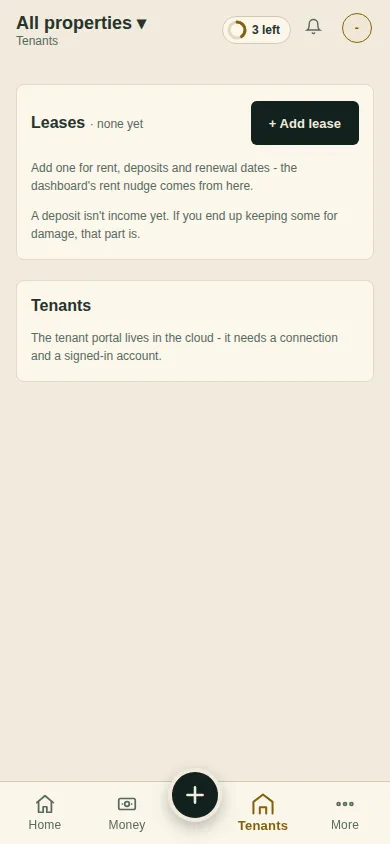
Pick the Property, and attach the signed lease with Attach the lease - it fills the form. Premium The boxes it finds fill in for you. Check them.
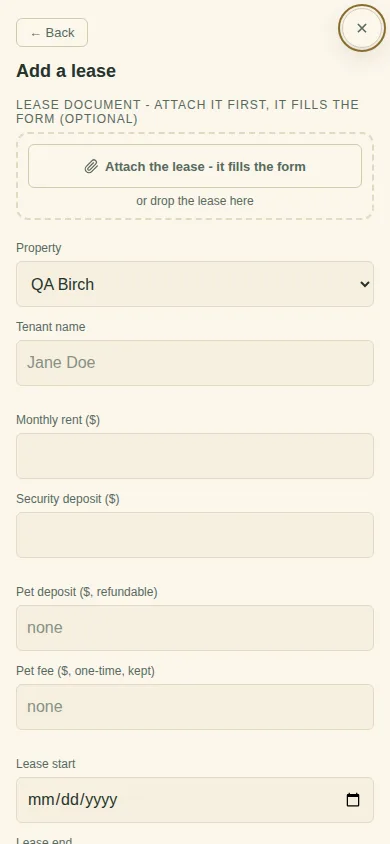
Fill in what is missing: Tenant name, Monthly rent, Security deposit, Lease start, Lease end, Rent due on day, Late fee and Late after day.
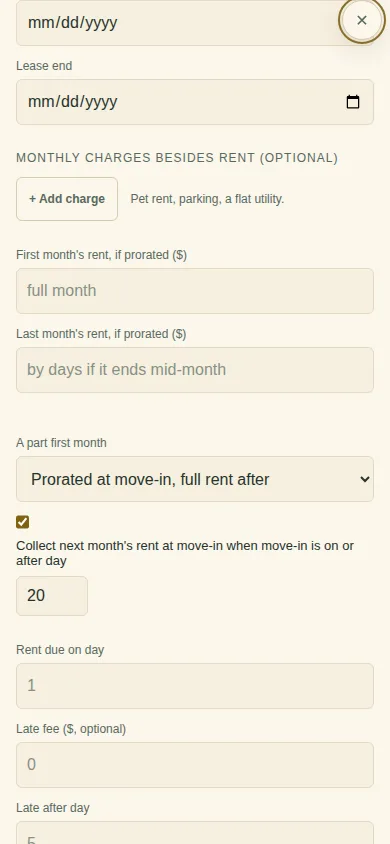
A part first month? Check the worked-out figure and tap Use it, then choose how it is billed under A part first month.
Fill in How your tenant pays you (they see these words on their portal) and Tenant email.
Tap Save lease. The first time, the app asks How do your tenants pay you? Tick the ways you take rent.
What you'll see
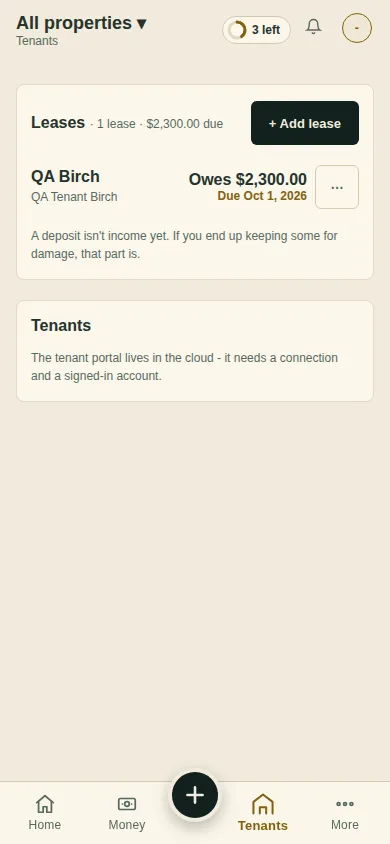
One row on Tenants, for example "Owes $2,300.00 · Due Oct 1, 2026". Tap it to open the lease page.
Can't find it? Ask Moolah in the app, or write to hello@thepropertyledger.app.