Add a pet
Add pet rent, a pet deposit and a pet fee to a lease in one step.
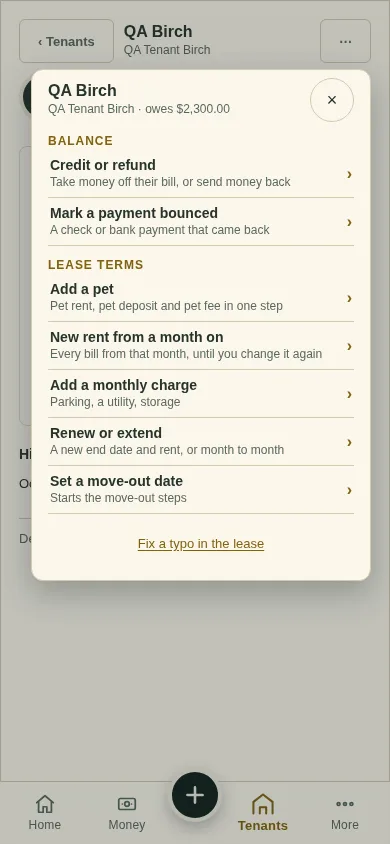
All changes start from the lease page: open the lease from Tenants and tap ⋯ (top right). Earlier bills never change.
Tap ⋯, then Add a pet.
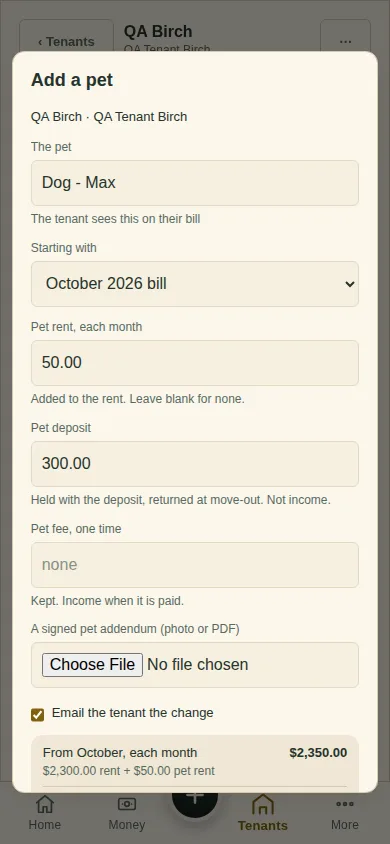
Name the pet, for example "Dog - Max". Your tenant sees it on the bill.
Pick the month under Starting with.
Fill in any of Pet rent, each month, Pet deposit (held, returned at move-out, not income) and Pet fee, one time (kept). Leave a box blank to skip it.
Check the summary at the foot, for example "From October, each month $2,350.00", and tap Add the pet.
What you'll see
Pet rent on every bill from that month, and the deposit or fee owed once.
Next
Add a monthly charge
Can't find it? Ask Moolah in the app, or write to hello@thepropertyledger.app.