Record a payment
Record rent paid by Zelle, check or cash. The tenant gets a receipt by email.
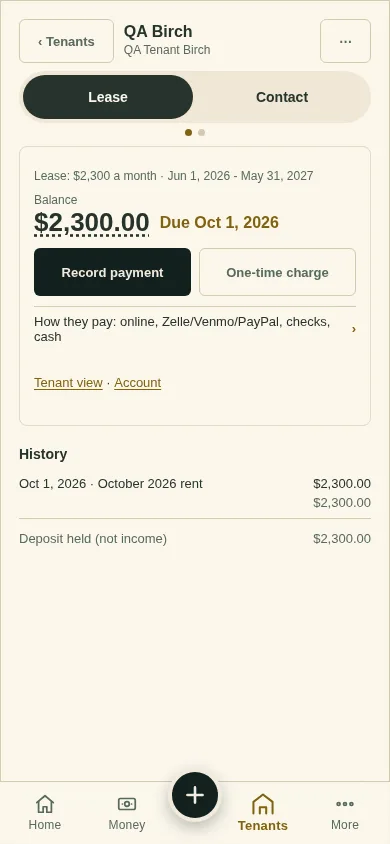
On the lease page, tap Record payment.
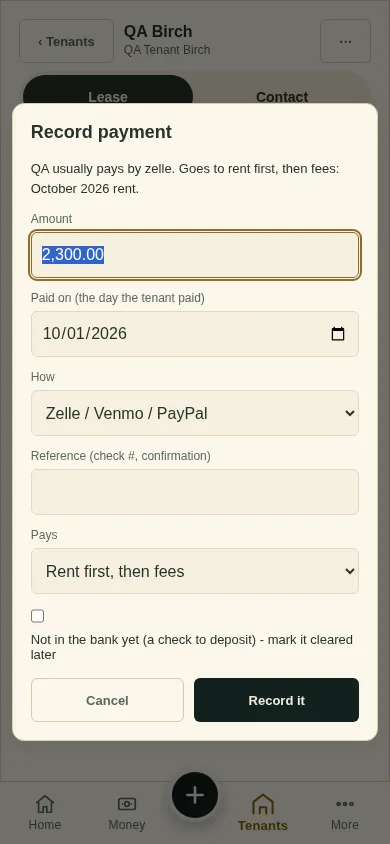
Check the Amount, the day they paid, and How (for example Zelle / Venmo / PayPal, a check or cash). The window says where it goes, for example "Goes to rent first, then fees: October 2026 rent."
A check you have not deposited yet? Tick Not in the bank yet.
Tap Record it. You have ten seconds to Undo.
What you'll see
The new balance, and the payment in History. A payment pays the oldest rent first.
Next
One-time charge
Can't find it? Ask Moolah in the app, or write to hello@thepropertyledger.app.