Collect rent online Premium
Let tenants pay rent from their bank, or by card if you allow it, straight to your bank through Stripe.
On Tenants, under Collect rent online, tap Start collecting rent. Finish Stripe's setup: your details and the bank the rent goes to. Stripe may take a day to check you.
Tap Change on the "Online rent" line and turn it on.
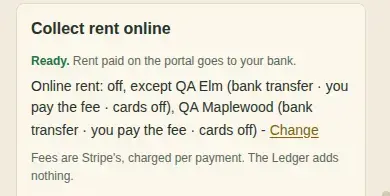
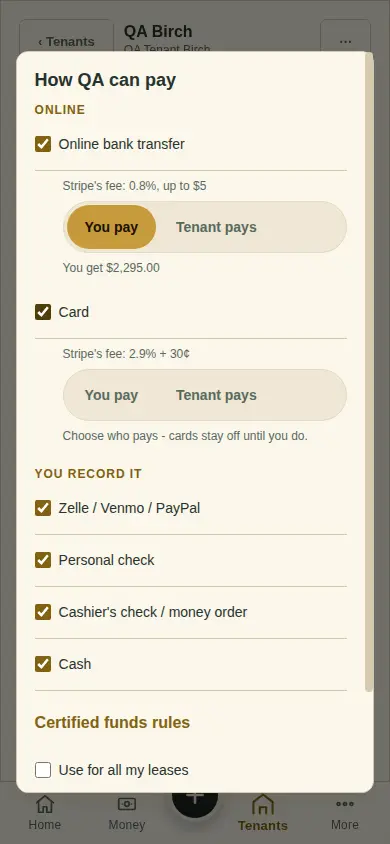
Choose who pays each fee. Bank: 0.8%, at most $5. Card: 2.9% + 30¢. Cards stay off until you choose.
What you'll see
"Processing" for 3-5 business days while a bank payment clears, then "Paid", and a "Rent landed" email.
Next
New rent from a month on
Can't find it? Ask Moolah in the app, or write to hello@thepropertyledger.app.