Log a trip
Log the miles you drive for your rentals, as you go or afterwards.
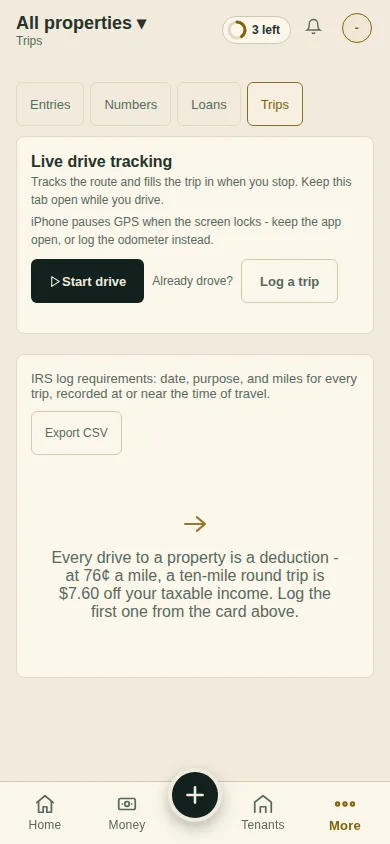
On Money, tap Trips. Or tap +, then A drive.
Tap Start drive as you leave and keep the page open, or Log a trip afterwards.
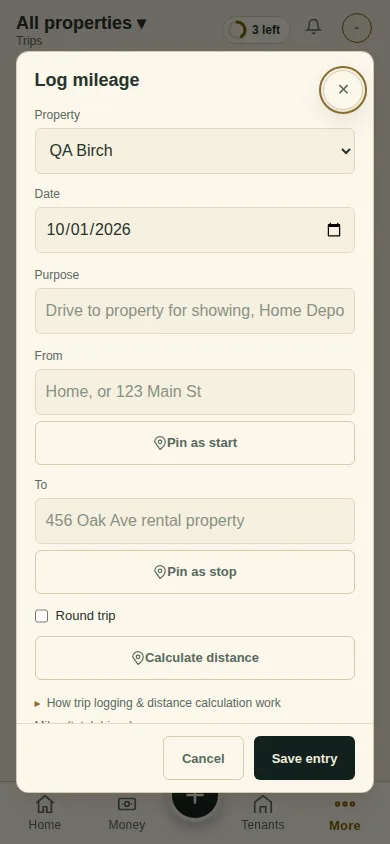
Pick the property, the date and the purpose. Type the miles, or the start and end and tap Calculate distance. Tap Save entry.
What you'll see
The trip, its miles, and what it is worth at the rate.
Next
Make the CPA package
Can't find it? Ask Moolah in the app, or write to hello@thepropertyledger.app.