Late fees in your state
Where a lease's late fee is set, and how the app checks it against the rules of the property's state.
Open the tenant from Tenants, then their Lease (on a phone, tap ⋯, then Lease).
Tap Edit. Under More terms, set Rent due on day, the late fee and Late after day, as your lease says.
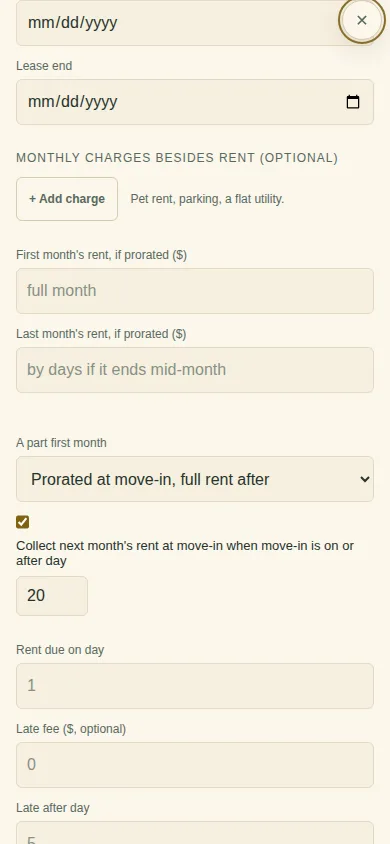
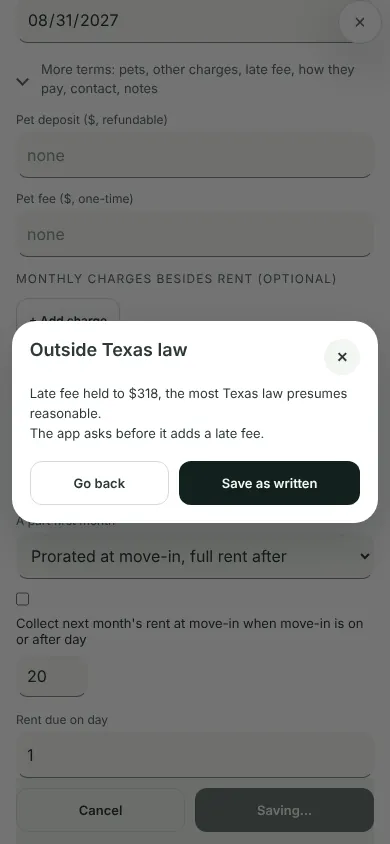
Tap Save lease. If the late fee goes past a rule of the property's state, the app tells you before it saves: Go back to change it, or Save as written. Where state law sets the earliest day for a late fee, the app waits for that day either way.
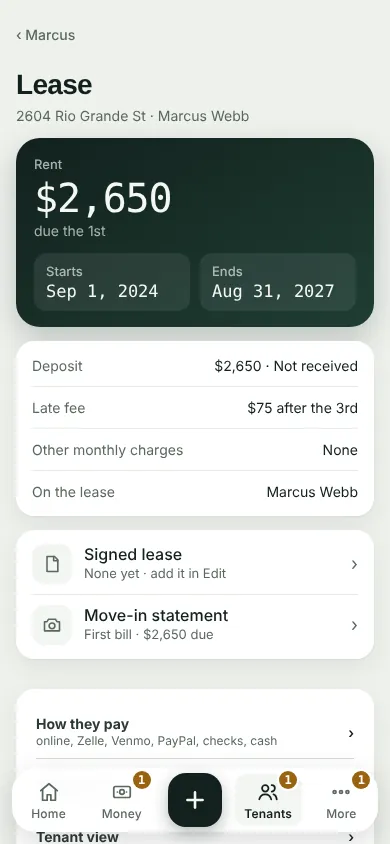
The Lease page shows the late fee. Its More details has the checks from the property's state law, and what the app will charge.
The state comes from the property's address. This isn't legal advice. If you're unsure, check with a lawyer.
Can't find it? Ask Moolah in the app, or write to hello@thepropertyledger.app.