Handymen
Give a handyman their own sign-in, send them jobs, and approve their bills.
Go to Account › People with access, tap Invite someone, pick Handyman, type their email and tap Send invite.
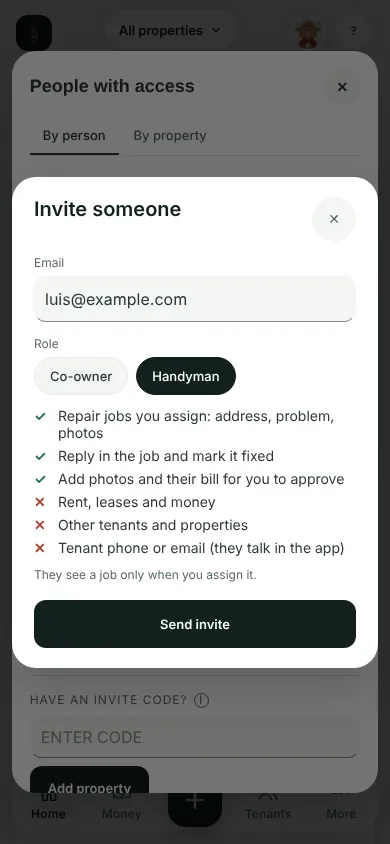
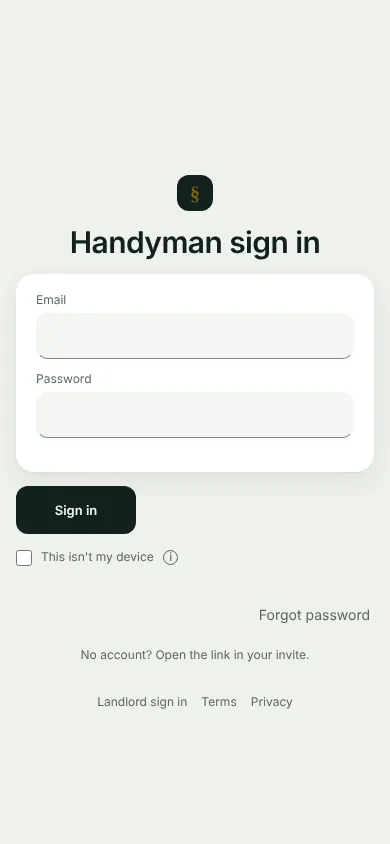
They open the link in the email, make an account with that email and tap Accept and see jobs. Later they sign in at thepropertyledger.app/fix, under Handyman sign in.
In Repairs, tap Assign on a report, pick them, add a note and a due date, and tap Assign. They get an email.
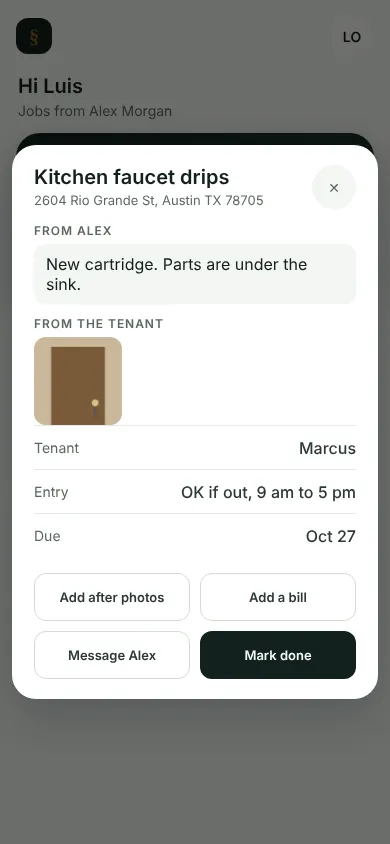
They see only their jobs, under To do and Done. In a job they tap Add after photos, Add a bill with a receipt photo, and Mark done.
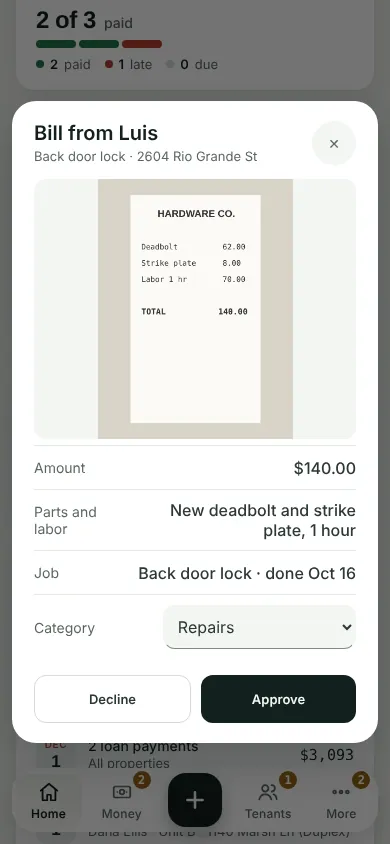
A bill shows under Needs you on Home. Tap Review: check the receipt and the amount, then Approve or Decline with a reason.
They see the address, your note, photos, the tenant's first name and the entry window. A handyman never sees rent, leases, money, other properties, or a tenant's phone or email.
What you'll see
An approved bill goes into Money under Repairs. Your handyman can open a job until 7 days after it is marked done.
Can't find it? Ask Moolah in the app, or write to hello@thepropertyledger.app.