Add a monthly charge
Add parking, storage or a utility to every bill from a month you pick.
All changes start from the lease page: open the lease from Tenants and tap ⋯ (top right). Earlier bills never change.
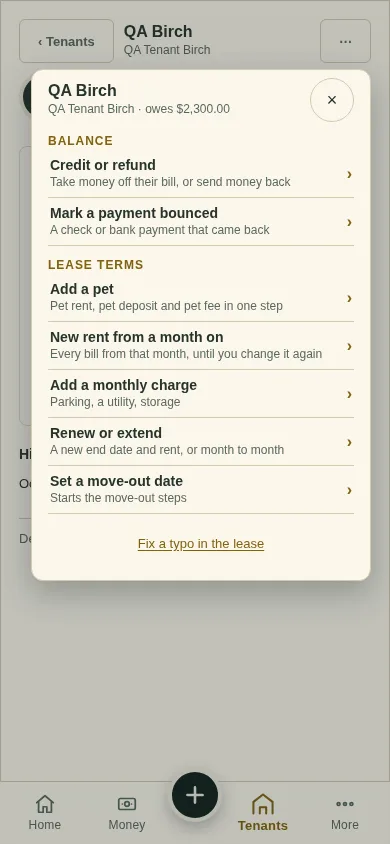
Tap ⋯, then Add a monthly charge.
Type the Charge name (for example "Parking") and the Charge amount, each month.
Pick the month under Starting with and tap Add the charge.
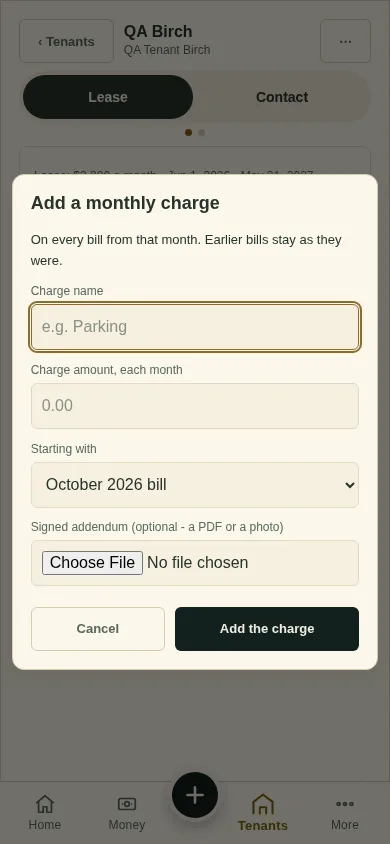
Charges already on the lease are listed in the same window. Type 0 to end one.
What you'll see
The charge on every bill from that month.
Next
Renew or extend
Can't find it? Ask Moolah in the app, or write to hello@thepropertyledger.app.