Remind a tenant
Email a late tenant a short reminder of what is due.
A late tenant has Remind on their row on Tenants. On their page, Remind is on the Owes now card.
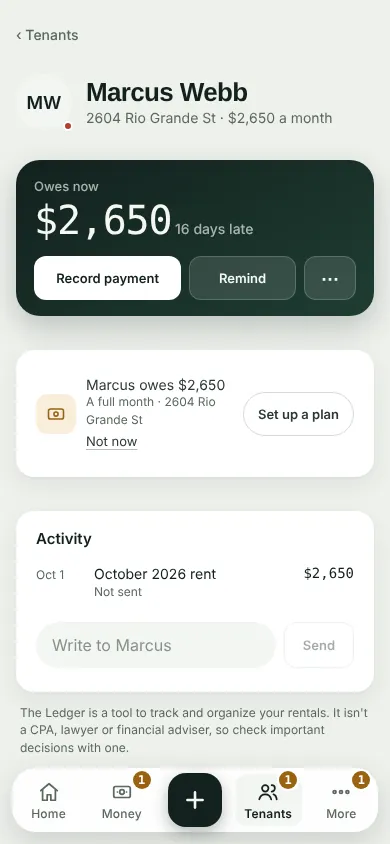
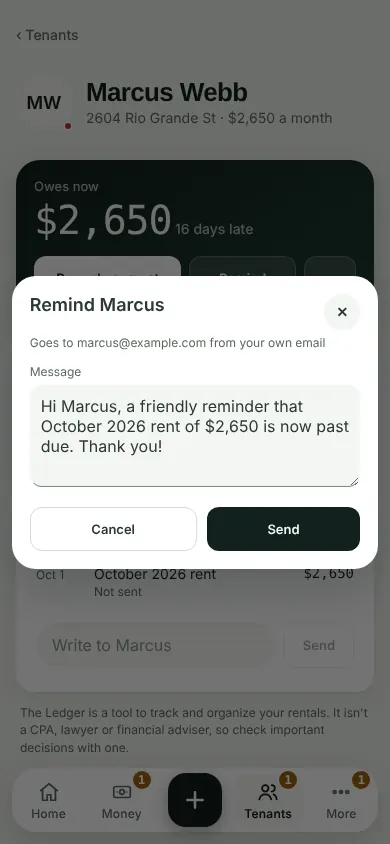
Tap Remind. The reminder says what is due for the month, and whether it is past due. Change the words if you like.
Tap Send. Your email opens with the message ready. Send it from there.
No email on the lease? The app says so. Add it under the tenant's Contact first.
Can't find it? Ask Moolah in the app, or write to hello@thepropertyledger.app.