How tenants pay
Choose the ways your tenants can pay rent, for every property at once or one property differently.
Go to Account, then How tenants pay.
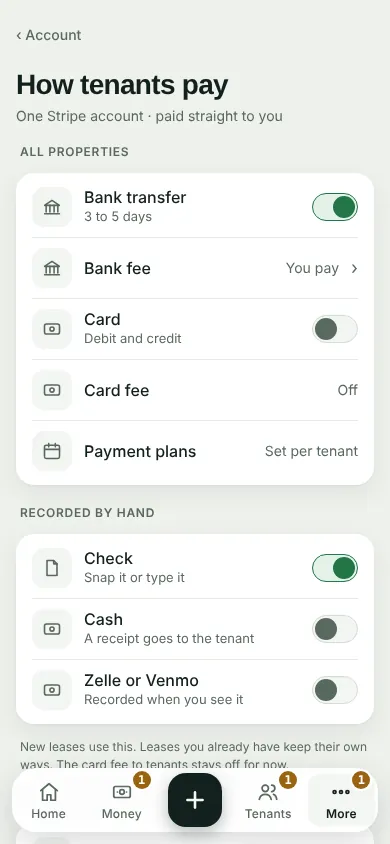
Under All properties, turn on the ways you take rent online: Bank transfer and Card. Tap Bank fee to choose who pays it.
Under Recorded by hand, turn on Check, Cash or Zelle or Venmo. You record these yourself when they come in.
One property works differently? Tap Set one property differently, pick it, and save its own ways. Use All properties hands it back.
New leases use these. A lease you already have keeps its own ways. A payment plan is set for each tenant, on their page.
Can't find it? Ask Moolah in the app, or write to hello@thepropertyledger.app.