Set a move-out date
End a lease on a date, then make the move-out statement and settle the deposit.
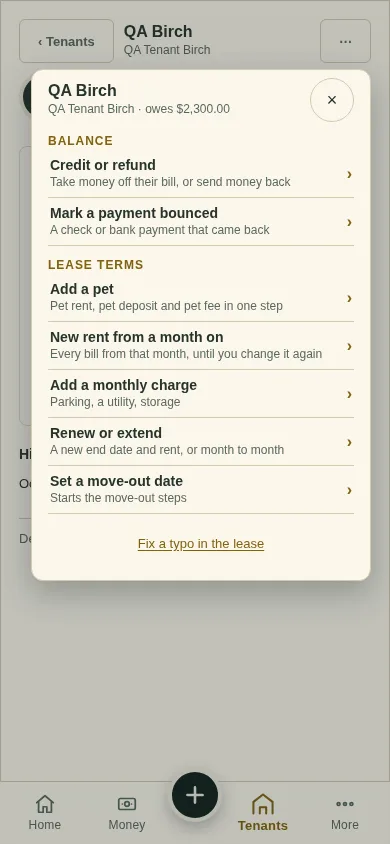
All changes start from the lease page: open the lease from Tenants and tap ⋯ (top right). Earlier bills never change.
Tap ⋯, then Set a move-out date.
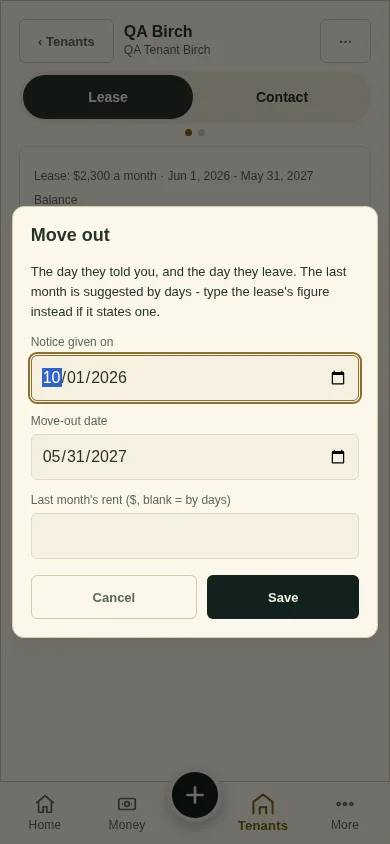
Fill in Notice given on and the Move-out date. Leave the last month's rent blank to work it out by days. Tap Save.
After they leave, tap ⋯, then Move-out statement, then ⋯, then Settle the deposit.
What you'll see
The lease ends on that date. Its records stay. A lease with money on it is ended, not deleted.
Next
Fix a typo in a lease
Can't find it? Ask Moolah in the app, or write to hello@thepropertyledger.app.